A Distill Web Monitor alternative that is a plain desktop app
Distill is a good tool, and its free local monitors cover a lot. Deskwatcher is for people who want something smaller: one Windows program in the tray, no account, and a single payment when three watches are not enough.
The short version
- Distill has two kinds of monitors. Cloud monitors run on Distill’s servers and are counted. Local monitors run in your browser extension or its desktop app, and Distill’s pricing page says those checks are unlimited.
- Deskwatcher is one Windows program that sits in the tray and checks pages from your PC. No account, 3 watches free, $29 once for unlimited watches on 2 PCs.
- If Distill’s free plan already does what you need, keep it. Deskwatcher makes sense when you want more monitors than the free plan allows without a monthly bill, or when you want the watching to live outside your browser.
What Distill offers
From Distill’s pricing page and its documentation, read on November 29, 2026.
| Plan | Price | What you get |
|---|---|---|
| Distill Free | $0 | 25 monitors, 5 of them in the cloud. Cloud: 1,000 checks a month, every 6 hours at the shortest. Local checks are not counted. |
| Distill Starter | $15 a month | 50 monitors, 30,000 cloud checks a month, every 10 minutes at the shortest in the cloud |
| Deskwatcher | $29 once | Unlimited watches on 2 PCs, every 5 minutes at the shortest. No cloud checks at all. Free for 3 watches. |
Distill’s documentation says a local monitor needs the browser or the app to stay open, and that a cloud monitor keeps running while your device is off. Deskwatcher works like a local monitor: it checks only while your PC is on.
Where Distill is the better tool
- You need checks while your PC is off. Distill’s cloud monitors do that. Deskwatcher has nothing in the cloud.
- You need very short intervals. Distill’s pricing page lists local intervals from a few seconds. Deskwatcher stops at 5 minutes on purpose, to go easy on the sites it visits.
- You are not on Windows, or you want alerts on a phone. Distill’s plans include phone notifications.
- You need more than text. Distill has a visual comparison, conditions and more alert channels. Deskwatcher compares words and alerts with a Windows notification or a webhook.
- 25 monitors are enough. Then Distill costs you nothing, and that is hard to beat.
Where Deskwatcher is the better tool
- You want it out of the browser. Deskwatcher is its own program with its own schedule. It starts with Windows and keeps checking in the tray after every browser window is closed.
- You want more watches without a subscription. Past the free plan, Distill starts at $15 a month. Deskwatcher is $29 once.
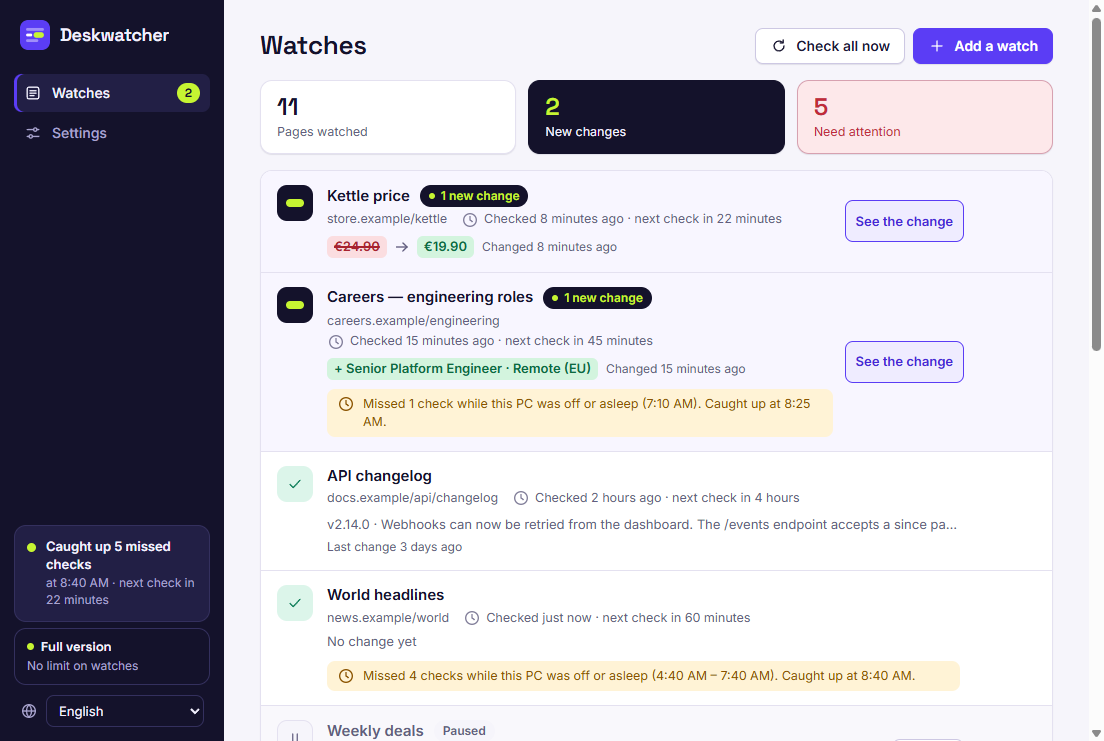
- You want to see what was missed. Every watch shows its last check and its next one. After the PC was off, it runs the checks that were due and says how many it missed.
- You want fewer moving parts. One window: a list of watches, the change with the old and new words, and a settings page.
Picking the part to watch
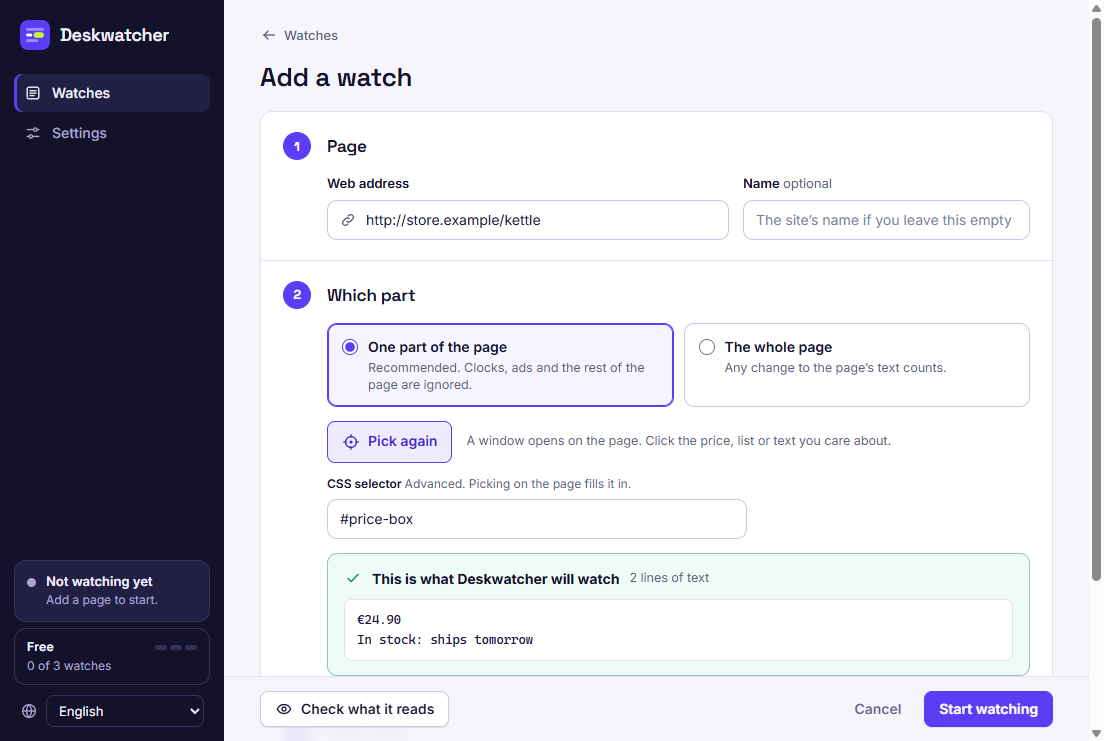
As in Distill, you point at the part of the page you care about. Deskwatcher opens the page in a window and you click the price, the date or the paragraph. Before it saves, it shows the exact text it will watch.
What Deskwatcher will not do
It does not sign in to sites, fill in forms or get around a bot check. It does not compare screenshots, and it does not run on a Mac or a phone. If any of those matter to you, Distill is the better choice.