A price drop alert for any website, on Windows
Price trackers usually cover one shop. If the product you want is sold somewhere else, you can watch the price on the page itself. This is how to do it with Deskwatcher, and where it falls short.
How it works
Deskwatcher is a Windows app that opens a page on a schedule, reads the part you picked and compares it with what it read last time. If you pick the price, every change to the price gives you a Windows notification with the old and new amount.
Setting it up
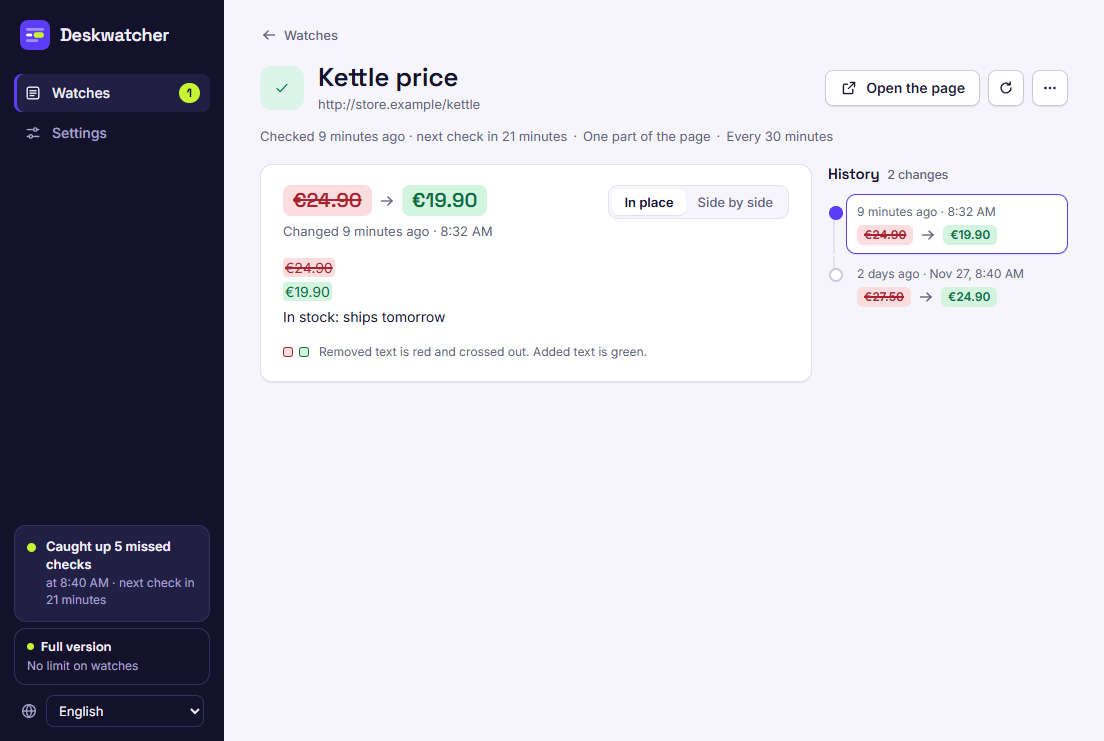
- Paste the product page’s address into Deskwatcher and choose Start watching.
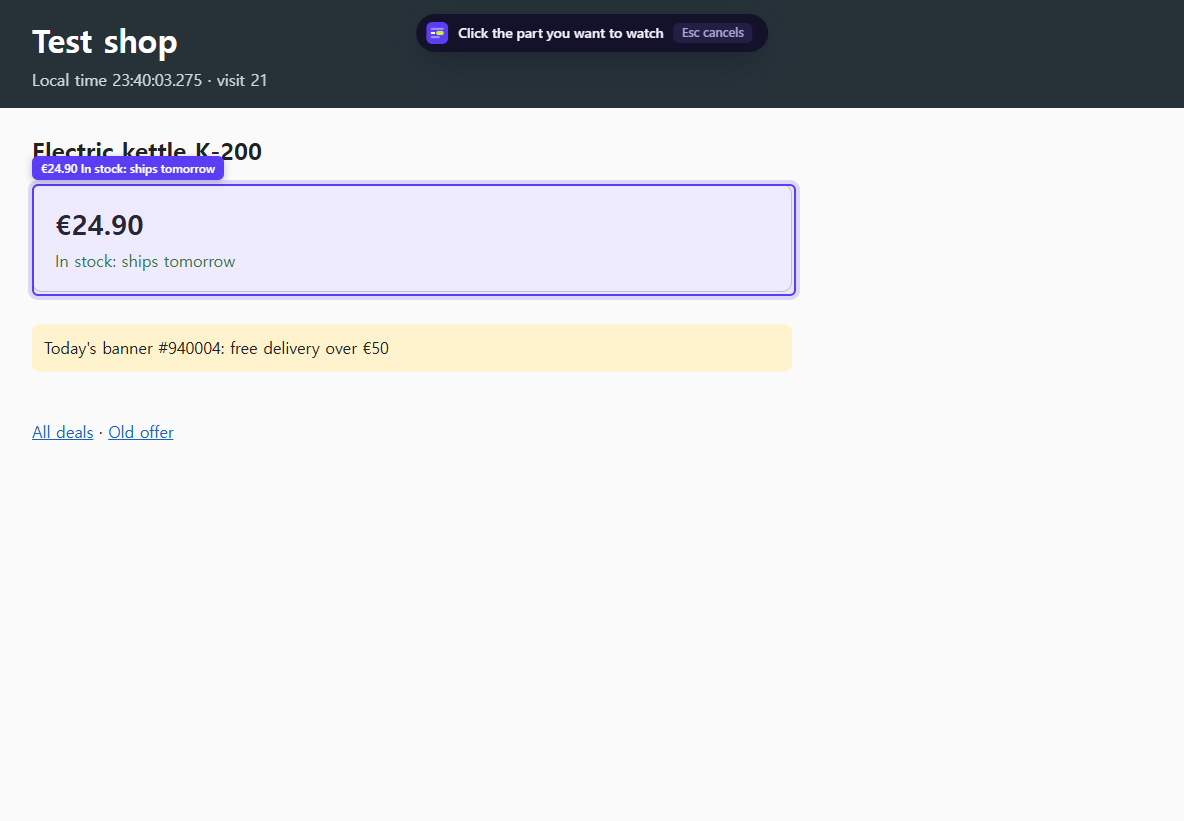
- Click the price in the window that opens. You can also click the box around it, to catch the stock line as well.
- Check the text it read. It should be the price and nothing that changes by itself, such as a countdown.
- Choose how often. For a shop price, once an hour is usually plenty. The shortest interval is 5 minutes.
What you see when the price moves
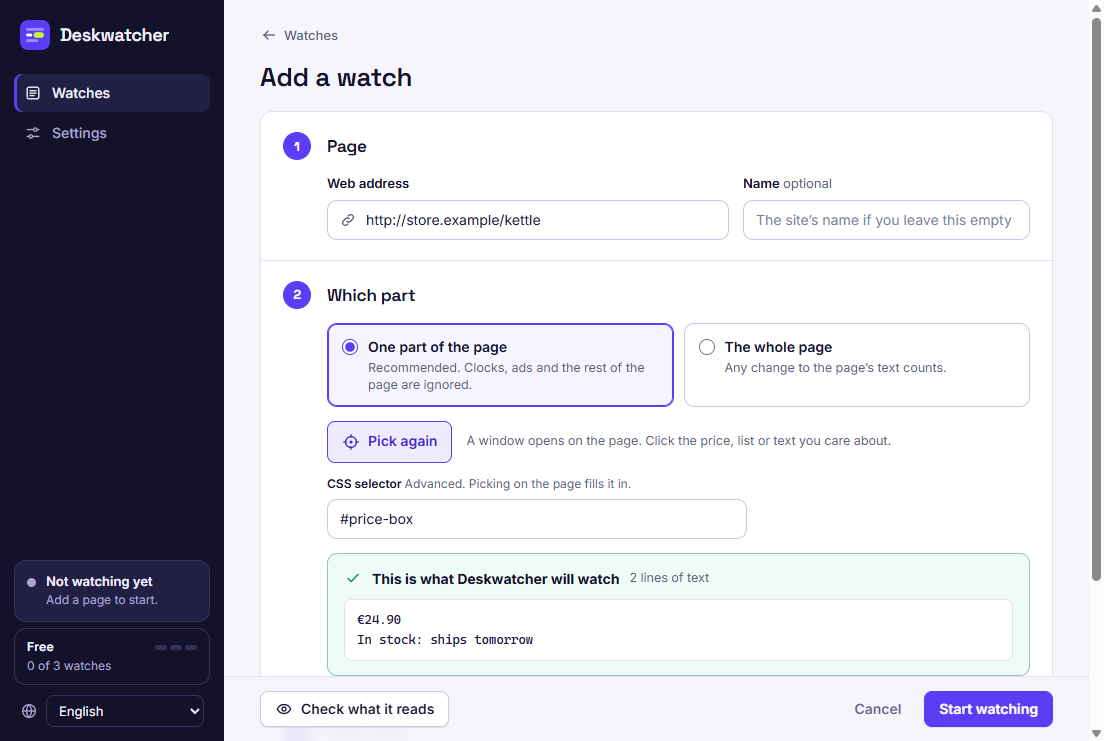
The notification names the watch and shows the change, for example “€24.90 → €19.90”. In the app, the change view strikes out the old price in red and marks the new one in green. A switch shows the two versions side by side.
Where it falls short
This is a page watcher, not a price tracker, and the difference matters.
- It alerts on every change, not only on drops. A price that goes up also gives a notification, and there is no target price to set.
- No price history chart. The history lists the last changes of each watch as text.
- Some shops block automated visits. Deskwatcher does not get around a CAPTCHA or a bot check. That watch shows an error instead of a price.
- No prices behind a sign-in. Member prices that need a login cannot be watched.
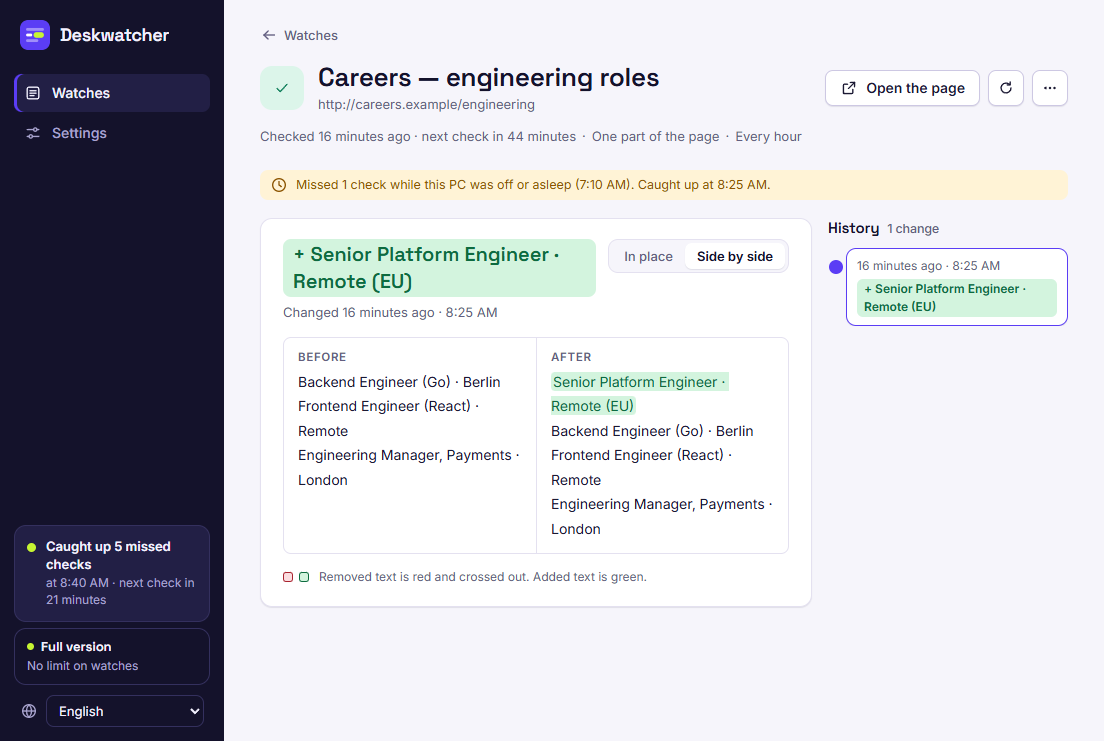
- Only while your PC is on. Missed checks run when the PC is back, and the watch says how many it missed.
- One page per watch. A size or colour option that changes the price without changing the address is not followed.
For a big marketplace with its own price tracker, that tracker will serve you better. Deskwatcher is for everything else: the small shop, the manufacturer’s own store, the second-hand listing.
What it costs
3 watches are free for as long as you like. Unlimited watches cost $29 once, for 2 PCs, with a refund within 14 days. There is no account and no monthly plan.