How to monitor website changes without a subscription
Most page monitors are cloud services billed by the month. If you only need to watch a handful of pages, there are five ways around that. Each has a catch, and they are listed here.
Prices and limits below come from each product’s own page, read on November 29, 2026. Follow the links to check them yourself, because they change.
1. Distill’s local monitors
Distill runs monitors either on its servers or locally, in a browser extension or its desktop app. The free plan has 25 monitors, and its pricing page says local checks are unlimited.
- Cost: $0.
- The catch: local monitors run only while the browser or the app is open. Only 5 of the free monitors may run in the cloud, every 6 hours at the shortest. Beyond 25 monitors the plans start at $15 a month.
- Good for: up to 25 pages, on any system, if your browser is open all day anyway.
2. The free tier of a cloud service
Cloud services check from their own servers, so they keep going while your computer is off. Their free tiers are small.
- Visualping Free: 5 pages and 150 checks a month, every 60 minutes at the shortest. That is about one check a day for each page.
- ChangeTower Free: 3 pages, checked once a day.
- The catch: one check a day. The paid plans are monthly: Visualping Personal 1K is $14 a month, and ChangeTower Lite is $12 a month for 25 pages checked daily.
- Good for: a few pages where a day’s delay does not matter.
3. changedetection.io on your own server
changedetection.io is open source. Its site says you can run it on your own server for free, or pay $8.99 a month for the hosted version with up to 5,000 pages.
- Cost: $0 for the software, plus whatever the machine it runs on costs you.
- The catch: you install and update it yourself, and it needs a machine that stays on.
- Good for: people who already run a home server and like to tinker.
4. WebSite-Watcher
WebSite-Watcher is a long-standing Windows program with a great many options. You buy a license instead of subscribing.
- Cost: €49 for the Personal Edition, which is for private, non-commercial use only, and €299 for the Business Edition. Both before VAT, with free updates for one year.
- The catch: companies have to buy the Business Edition. Like every desktop program, it checks only while the PC is on.
- Good for: people who want every option there is and do not mind a busy window.
5. Deskwatcher
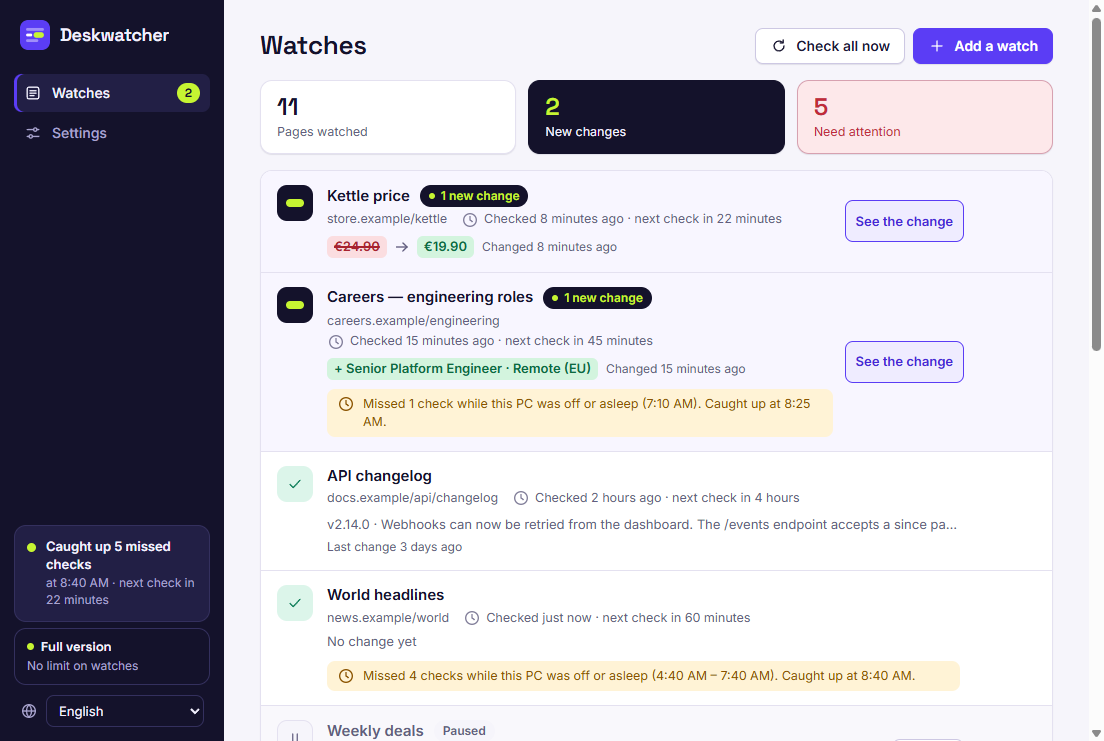
Deskwatcher is our own app, so read this part with that in mind. It is a small Windows program that watches the part of a page you click on and shows the old and new words when it changes.
- Cost: $0 for 3 watches with every feature and no time limit. $29 once for unlimited watches on 2 PCs, with a refund within 14 days.
- The catch: Windows 10 / 11 (64-bit) only. It checks only while the PC is on and the app is running. It compares text, not screenshots. It does not sign in to sites or get around bot checks.
- Good for: a PC that is on most of the day, pages you want checked as often as every 5 minutes, and no monthly bill.
Side by side
| Way | Price | Checks while your computer is off |
|---|---|---|
| Distill, local monitors | $0 for 25 monitors | No |
| Visualping Free | $0 for 5 pages, about once a day | Yes |
| ChangeTower Free | $0 for 3 pages, once a day | Yes |
| changedetection.io, self-hosted | $0, on your own server | Yes, while the server is on |
| WebSite-Watcher | €49 once (personal use) | No |
| Deskwatcher | $0 for 3 watches, $29 once for more | No |
How to choose
- The page matters at 3 a.m. and your PC is off: use a cloud service, and accept the monthly price if the free tier is too slow.
- You have a server and enjoy setting things up: changedetection.io.
- Your browser is always open and 25 pages are enough: Distill’s local monitors.
- You want a quiet Windows app, frequent checks and one payment: Deskwatcher, or WebSite-Watcher if you want far more options.